Check/Get battery status in android source code
Check/Get battery status in android. hello, android developer today I will tell you how to get the battery percentage, charging status, battery technology, battery voltage, etc.please follow the code given below to Check/Get battery status in android source code.
- First Create a new project in Android Studio
- File ⇒ New Android ⇒ Application Project
- Then Open src -> package -> MainActivity.java and then add following code :
JAVA (MainActivity.java)
import android.annotation.SuppressLint;
import android.content.BroadcastReceiver;
import android.content.Context;
import android.content.Intent;
import android.content.IntentFilter;
import android.os.BatteryManager;
import android.support.v7.app.AppCompatActivity;
import android.os.Bundle;
import android.widget.TextView;

public class batteryinformation extends AppCompatActivity {

    private TextView txtBatteryInfo;

    @Override
    protected void onCreate(Bundle savedInstanceState) {
        super.onCreate(savedInstanceState);
        setContentView(R.layout.activity_batteryinformation);

        txtBatteryInfo = (TextView)findViewById(R.id.batinfo);
        registerReceiver(this.batteryInfoReceiver,new IntentFilter(Intent.ACTION_BATTERY_CHANGED));
    }
    BroadcastReceiver batteryInfoReceiver = new BroadcastReceiver() {

        @SuppressLint("SetTextI18n")
        @Override
        public void onReceive(Context context, Intent intent) {

            int health= intent.getIntExtra(BatteryManager.EXTRA_HEALTH,0);
            int level= intent.getIntExtra(BatteryManager.EXTRA_LEVEL,0);
            int plugged= intent.getIntExtra(BatteryManager.EXTRA_PLUGGED,0);
            boolean present= intent.getExtras().getBoolean(BatteryManager.EXTRA_PRESENT);
            int status= intent.getIntExtra(BatteryManager.EXTRA_STATUS,0);
            String technology= intent.getExtras().getString(BatteryManager.EXTRA_TECHNOLOGY);
            int temperature= intent.getIntExtra(BatteryManager.EXTRA_TEMPERATURE,0);
            int voltage= intent.getIntExtra(BatteryManager.EXTRA_VOLTAGE,0);

            txtBatteryInfo.setText("Health: "+health+"\n"+
                    "Level: "+level+"\n"+
                    "Plugged: "+plugged+"\n"+
                    "Present: "+present+"\n"+
                    "Status: "+status+"\n"+
                    "Technology: "+technology+"\n"+
                    "Temperature: "+temperature+"\n"+
                    "Voltage: "+voltage+"\n");
        }
    };
}
- Now Open res -> layout -> activity_main.xml and then add following code :
XML (activity_main.xml)
<RelativeLayout xmlns:android="http://schemas.android.com/apk/res/android"
    xmlns:tools="http://schemas.android.com/tools"
    android:layout_width="match_parent"
    android:layout_height="match_parent">

    <TextView
        android:id="@+id/batinfo"
        android:layout_width="wrap_content"
        android:layout_height="wrap_content"/>

</RelativeLayout>
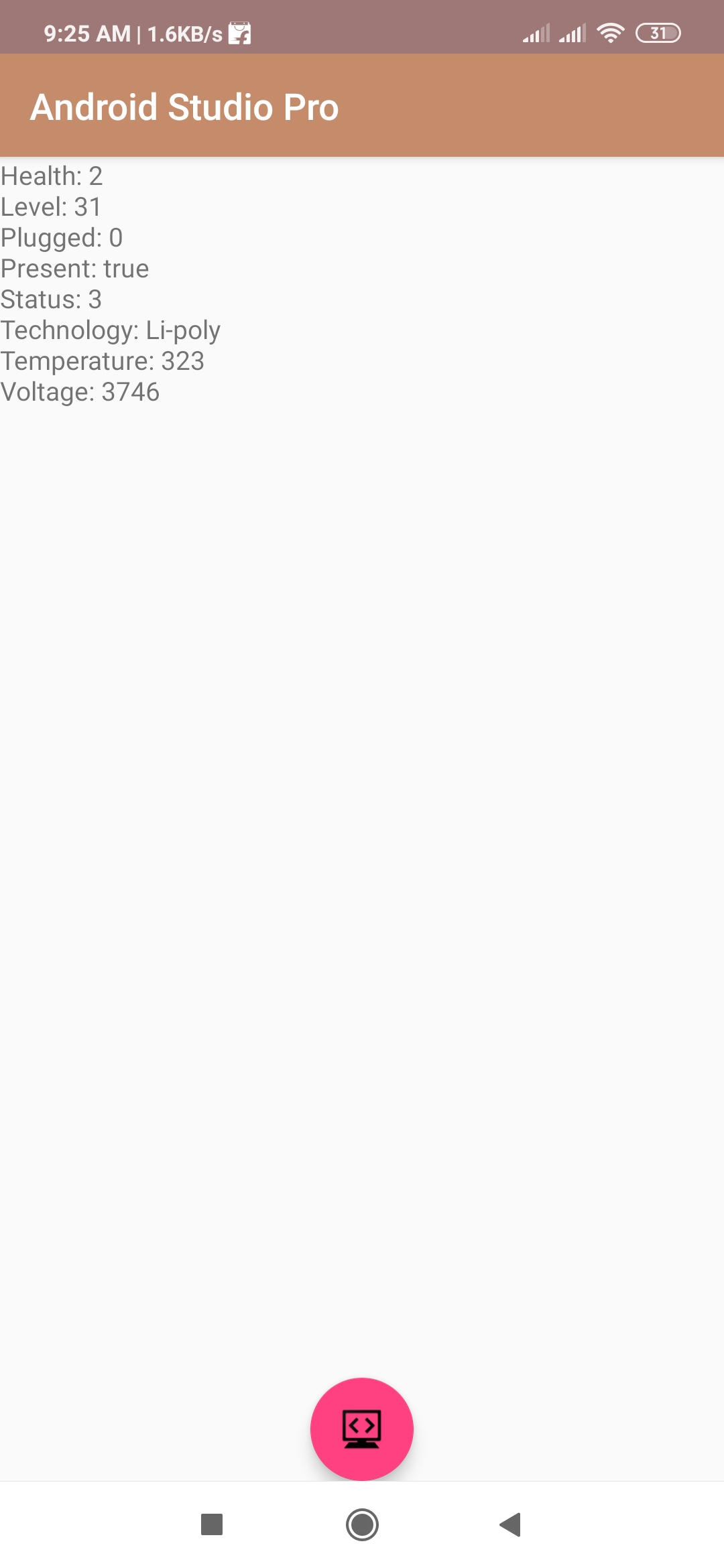
Output:
Finally, run this project.
This is how Android application looks like.